FEniCS.jl: Finite Element PDE Solving in Julia
FEniCS.jl is a wrapper for the FEniCS library for finite element discretizations of PDEs. This wrapper includes three parts:
- Installation and direct access to FEniCS via a Conda installation. Alternatively, one may use their current FEniCS installation.
- A low-level development API and provides some functionality to make directly dealing with the library a little bit easier, but still requires knowledge of FEniCS itself. Interfaces have been provided for the main functions and their attributes, and instructions to add further ones can be found here.
- A high-level API for usage with DifferentialEquations. An example can be seen solving the heat equation with high order adaptive timestepping.
Various gists/jupyter notebooks have been created to provide a brief overview of the overall functionality, and of any differences between the Pythonic FEniCS and the Julian wrapper. These examples demonstrate integration with the DifferentialEquations.jl ecosystem. Paraview can also be used to visualize various results, just like in FEniCS (see below).
Installation Instructions
To get the wrapper on your system, providing that a FEniCS installation exists, follow the below steps:
Add PyCall with the correct Python environment corresponding to FEniCS. Then simply add FEniCS.jl using Pkg.add("FEniCS")
Alternatively, one can install Docker and then run the following command
docker run -ti cmhyett/julia-fenicsand once inside, Julia can be accessed by calling
juliaOnce inside the Julia environment, simply add FEniCS with Pkg.add("FEniCS"). All other dependencies are handled by the docker image.
This wrapper was originally started via the Google Summer of Code program along with the help of Chris Rackauckas and Bart Janssens. This was continued via GSoC '18 along with the help of Chris Rackauckas and Timo Betcke.
Tutorial
Below is a small demonstration of how a user would use our code to solve the Poisson equation with Dirichlet conditions. This directly mirrors one of the tutorials FEniCS provides
using FEniCS
mesh = UnitSquareMesh(8, 8)
V = FunctionSpace(mesh, "P", 1)
u_D = Expression("1+x[0]*x[0]+2*x[1]*x[1]", degree = 2)
u = TrialFunction(V)
bc1 = DirichletBC(V, u_D, "on_boundary")
v = TestFunction(V)
f = Constant(-6.0)
a = dot(grad(u), grad(v)) * dx
L = f * v * dx
U = FeFunction(V)
lvsolve(a, L, U, bc1) #linear variational solver
errornorm(u_D, U, norm = "L2")
get_array(L) #this returns an array for the stiffness matrix
get_array(U) #this returns an array for the solution values
vtkfile = File("poisson/solution.pvd")
vtkfile << U.pyobject #exports the solution to a vtkfile
We can also plot the solution (this relies on FEniCS backend for plotting) or import it from our file into Paraview:
import PyPlot # plotting won't work if PyPlot is not imported
FEniCS.Plot(U)
FEniCS.Plot(mesh)

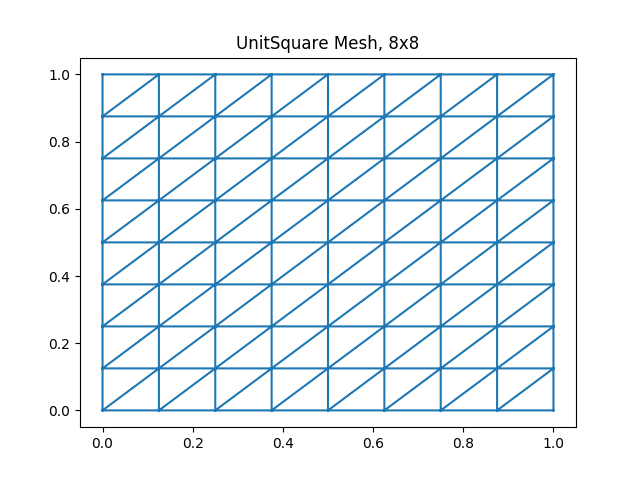
See the examples directory for more examples.
API Reference
FEniCS.FEniCS — Module
FEniCSJulia wrappers around FEniCS/DOLFIN finite element meshes, function spaces, forms, solvers, and related helper utilities.
FEniCS.CellType — Constant
CellTypeFEniCS/DOLFIN cell-type namespace used to select mesh cell shapes.
FEniCS.hexahedron — Constant
hexahedronFEniCS cell object describing a hexahedral finite-element cell.
Use it as the cell argument to FiniteElement when constructing a hexahedral element.
FEniCS.quadrilateral — Constant
quadrilateralFEniCS cell object describing a quadrilateral finite-element cell.
Use it as the cell argument to FiniteElement when constructing a quadrilateral element.
FEniCS.tetrahedron — Constant
tetrahedronFEniCS cell object describing a tetrahedral finite-element cell.
Use it as the cell argument to FiniteElement when constructing a tetrahedral element.
FEniCS.triangle — Constant
triangleFEniCS cell object describing a triangular finite-element cell.
Use it as the cell argument to FiniteElement when constructing a triangular element.
FEniCS.BoundaryCondition — Type
BoundaryConditionAbstract wrapper for a FEniCS boundary condition.
FEniCS.Cell — Type
CellAbstract wrapper for a FEniCS mesh cell.
FEniCS.Cell — Method
Cell(mesh::MeshImpl, i::Int)Wrap cell i from a FEniCS mesh.
Arguments
mesh: Underlying mesh implementation.i: Cell index understood by FEniCS.
FEniCS.Constant — Type
ConstantAbstract wrapper for a FEniCS constant expression.
FEniCS.Constant — Method
Constant(x::Union{Real, Tuple})Construct a constant symbolic expression from a scalar or tuple value.
Arguments
x: Scalar or vector value represented by the constant.
FEniCS.Expression — Type
ExpressionAbstract wrapper for a FEniCS/UFL symbolic expression.
FEniCS.Expression — Method
Expression(cppcode; kw...)Construct a symbolic FEniCS expression from C++ expression code.
Arguments
cppcode: Expression code accepted by FEniCS.kw...: Keyword arguments forwarded to the FEniCS expression constructor, such asdegree.
FEniCS.FeFunction — Type
FeFunctionAbstract wrapper for a FEniCS finite-element function.
FEniCS.FeFunction — Method
FeFunction(V::FunctionSpace; name::String = "")Construct a finite-element function on V.
Arguments
V: Function space containing the function.
Keyword Arguments
name: Optional name passed to FEniCS. The default creates an unnamed function.
FEniCS.FiniteElement — Type
FiniteElement(family::StringOrSymbol, cell = nothing, degree = nothing,
    form_degree = nothing, quad_scheme = nothing, variant = nothing)
Construct a FEniCS finite element.
Arguments
family: Finite-element family name.cell: Geometric cell, such astriangle.degree: Polynomial degree.form_degree: Optional FEEC form degree.quad_scheme: Optional quadrature scheme.variant: Optional local-basis variant.
FEniCS.FiniteElement — Type
FiniteElementAbstract wrapper for a FEniCS finite element.
FEniCS.Form — Type
FormAbstract wrapper for a FEniCS variational form.
FEniCS.FunctionSpace — Type
FunctionSpaceAbstract wrapper for a FEniCS finite-element function space.
FEniCS.FunctionSpace — Method
FunctionSpace(mesh::Mesh, element::Union{FiniteElement, MixedElement})Construct a function space from a finite element or mixed finite element.
FEniCS.FunctionSpace — Method
FunctionSpace(mesh::Mesh, family::StringOrSymbol, degree::Int)Construct a scalar finite-element function space on mesh.
Arguments
mesh: Mesh on which the space is defined.family: FEniCS finite-element family, such as"CG".degree: Polynomial degree of the basis.
FEniCS.MPI_Comm — Type
MPI_CommWrapper for a FEniCS MPI communicator object.
FEniCS.Matrix — Type
MatrixAbstract wrapper for a FEniCS assembled matrix.
FEniCS.Matrix — Method
Matrix(a::T) where {T <: Real}Return a scalar unchanged when a FEniCS form reduces to a real number.
FEniCS.Measure — Type
MeasureAbstract wrapper for a FEniCS integration measure.
FEniCS.Mesh — Type
MeshAbstract wrapper for a FEniCS/DOLFIN mesh.
Concrete values contain a PyCall.PyObject in the internal pyobject field. Use the constructors below to load or generate meshes; extend mesh behavior on Mesh rather than on its implementation type.
FEniCS.Mesh — Method
Mesh(object::Mesh)
Creates a copy of a mesh
FEniCS.Mesh — Method
Mesh(path::StringOrSymbol)Load a FEniCS mesh from path.
Arguments
path: Filename or path understood by FEniCS.
FEniCS.MixedElement — Type
MixedElementAbstract wrapper for a FEniCS mixed finite element.
FEniCS.MixedElement — Method
MixedElement(vec::Array{FEniCS.FiniteElementImpl, 1})Construct a mixed finite element from a vector of finite-element wrappers.
Arguments
vec: Finite-element components to combine.
FEniCS.feMesh — Type
Creates a type which incorporates the mesh attributes alongside the necessary values to solve finite element problems. It works by taking in a FEniCS mesh, working out the necessary values, and then creating an ordering of the internal/boundary nodes and applying the DirichletBC (via a function) to the respective nodes.
FEniCS.sub_domain — Type
sub_domainAbstract wrapper for a FEniCS boundary subdomain.
Base.split — Method
split(fun::FeFunction)Split a mixed FEniCS finite-element function into its component functions.
Arguments
fun: Mixed finite-element function to split.
Examples
julia> components = split(mixed_solution);Base.write — Method
write(path::PyObject, solution::fenicsobject, time::Number)Write a FEniCS mesh or function to an FEniCS XDMFFile or TimeSeries at time.
Arguments
path: Python-backed FEniCS output object returned byXDMFFileorTimeSeries.solution: FEniCS mesh or function to write.time: Time associated with the output sample.
Examples
julia> write(XDMFFile("solution.xdmf"), u, 0.0)FEniCS.Argument — Function
Argument(V, number, part = nothing)Construct a symbolic UFL argument associated with function space V.
Arguments
V: Function space associated with the argument.number: Argument number used by UFL.part: Optional component identifier for mixed spaces.
FEniCS.BoundaryMesh — Function
BoundaryMesh(mesh::Mesh,type_boundary::StringOrSymbol="exterior",order=true)
A BoundaryMesh is a mesh over the boundary of some given mesh.
The cells of the boundary mesh (facets of the original mesh) are oriented to
produce outward pointing normals relative to the original mesh.
The type_boundary can be "exterior", "interior" or "local". "exterior" is the globally
external boundary, "interior" is the inter-process mesh and "local" is the boundary
of the local (this process) mesh.
order:(bool) Optional argument which can be used to control whether or not the
boundary mesh should be ordered according to the UFC ordering convention.
If set to false, the boundary mesh will be ordered with right-oriented facets
(outward-pointing unit normals). The default value is true.
FEniCS.BoxMesh — Method
BoxMesh(p0, p1, nx::Int, ny::Int, nz::Int)Construct a tetrahedral mesh of the rectangular prism between p0 and p1.
Arguments
p0,p1: Opposite prism corners.nx,ny,nz: Number of cells in each coordinate direction.
FEniCS.CellDiameter — Method
CellDiameter(mesh::Mesh)Construct the symbolic cell-diameter expression for mesh.
Arguments
mesh: Mesh used to determine the cell diameter.
Returns
A symbolic Expression suitable for use in a variational form.
FEniCS.CellNormal — Method
CellNormal(mesh::Mesh)Construct the symbolic cell-normal expression for mesh.
Arguments
mesh: Mesh used to determine the cell normal.
Returns
A symbolic Expression suitable for use in a variational form.
FEniCS.CellVolume — Method
CellVolume(mesh::Mesh)Construct the symbolic cell-volume expression for mesh.
Arguments
mesh: Mesh used to determine the cell volume.
Returns
A symbolic Expression suitable for use in a variational form.
FEniCS.CompiledSubDomain — Method
CompiledSubDomain(cppcode::String)Compile a C++ boundary predicate into a FEniCS subdomain object.
Arguments
cppcode: C++ predicate source accepted by FEniCS.
FEniCS.DOLFIN_EPS — Method
DOLFIN_EPS()Return the DOLFIN floating-point epsilon.
FEniCS.DOLFIN_PI — Method
DOLFIN_PI()Return the DOLFIN value of pi.
FEniCS.DOLFIN_SQRT_EPS — Method
DOLFIN_SQRT_EPS()Return the square root of the DOLFIN floating-point epsilon.
FEniCS.DirichletBC — Method
DirichletBC(V::FunctionSpace, g, sub_domain)Construct a Dirichlet boundary condition on V.
The boundary value g may be a FEniCS expression, number, or tuple. The sub_domain argument identifies the boundary on which the condition applies.
Arguments
V: Function space constrained by the boundary condition.g: Boundary value.sub_domain: Boundary selector accepted by FEniCS.
FEniCS.FacetNormal — Method
FacetNormal(mesh::Mesh)Construct the outward facet-normal expression for mesh.
FEniCS.File — Method
File(path::StringOrSymbol)Create a FEniCS output file at path.
FEniCS.Identity — Method
Identity(dim::Int)Construct a symbolic identity tensor of dimension dim.
FEniCS.Plot — Method
For a full list of supported arguments, and their usage please refer to http://matplotlib.org/api/pyplot_api.html not all kwargs have been imported. Should you require any that are not imported open as issue, and I will attempt to add them. Deprecate this in a future version
FEniCS.Point — Method
Point(point::Union{Vector, Tuple})Construct an underlying Python FEniCS point from a Julia vector or tuple.
Arguments
point: Coordinate vector or tuple.
FEniCS.RectangleMesh — Function
RectangleMesh(p0, p1, nx::Int, ny::Int, diagdir::StringOrSymbol = "right")Construct a triangular mesh of the rectangle between p0 and p1.
Arguments
p0,p1: Opposite rectangle corners.nx,ny: Number of cells in each coordinate direction.diagdir: Diagonal orientation:"left","right","right/left","left/right", or"crossed".
FEniCS.TestFunction — Method
TestFunction(V::FunctionSpace)Construct a symbolic test function for V.
FEniCS.TestFunctions — Method
TestFunctions(V::FunctionSpace)Return the component test functions for a mixed function space V.
FEniCS.TimeSeries — Method
TimeSeries(path::StringOrSymbol)Create a FEniCS time-series storage object at path.
FEniCS.Transpose — Method
Transpose(object::Expression)Return the transpose of a symbolic FEniCS expression.
Arguments
object: Expression to transpose.
FEniCS.TrialFunction — Method
TrialFunction(V::FunctionSpace)Construct a symbolic trial function for V.
FEniCS.TrialFunctions — Method
TrialFunctions(V::FunctionSpace)Return the component trial functions for a mixed function space V.
FEniCS.UnitCubeMesh — Method
UnitCubeMesh(nx::Int, ny::Int, nz::Int)Construct a tetrahedral mesh of the three-dimensional unit cube.
The mesh has 6 * nx * ny * nz tetrahedra and (nx + 1) * (ny + 1) * (nz + 1) vertices.
Arguments
nx,ny,nz: Number of cells in each coordinate direction.
FEniCS.UnitIntervalMesh — Method
UnitIntervalMesh(nx::Int)Construct a mesh of the unit interval (0, 1) with nx cells and nx + 1 vertices.
Arguments
nx: Number of cells in the interval.
FEniCS.UnitQuadMesh — Method
UnitQuadMesh(nx::Int, ny::Int)Deprecated compatibility helper for constructing a unit quadrilateral mesh.
Use a current FEniCS quadrilateral mesh constructor instead.
FEniCS.UnitSquareMesh — Function
UnitSquareMesh(nx::Int, ny::Int, diagonal::StringOrSymbol="right" )
Triangular/quadrilateral mesh of the 2D unit square [0,1] x [0,1].
Given the number of cells (nx, ny) in each direction, the total number of triangles
will be 2nxny and the total number of vertices will be (nx + 1)*(ny + 1)
diagonal ("left", "right", "right//left", "left//right", or "crossed") indicates the direction of the diagonals.
FEniCS.UnitTetrahedronMesh — Method
UnitTetrahedronMesh()
A mesh consisting of a single tetrahedron with vertices at
(0, 0, 0) (1, 0, 0) (0, 1, 0) (0, 0, 1)
FEniCS.UnitTriangleMesh — Method
UnitTriangleMesh()
A mesh consisting of a single triangle with vertices at
(0, 0) (1, 0) (0, 1)
FEniCS.VectorFunctionSpace — Method
VectorFunctionSpace(mesh::Mesh, family::StringOrSymbol, degree::Int)Construct a vector-valued finite-element function space on mesh.
Arguments
mesh: Mesh on which the space is defined.family: FEniCS finite-element family.degree: Polynomial degree of the basis.
FEniCS.XDMFFile — Method
XDMFFile(path::StringOrSymbol)Create a FEniCS XDMF output object at path.
FEniCS.anlvsolve — Method
anlvsolve(F, a, u, bcs, tol, M)Solve an adaptive nonlinear variational problem through the wrapped FEniCS solver.
This lower-level helper is kept for compatibility and is not exported.
FEniCS.apply — Method
apply(bcs::BoundaryCondition, matrix::Matrix)Apply a boundary condition to an assembled matrix.
Arguments
bcs: Boundary condition to apply.matrix: Assembled matrix to modify.
FEniCS.array — Method
array(matrix)Gather a FEniCS matrix or vector-like object into a Julia array on rank zero.
FEniCS.assemble — Method
assemble(assembly_item; tensor = nothing,
    form_compiler_parameters = nothing, add_values = false,
    finalize_tensor = true, keep_diagonal = false, backend = nothing)
Assemble a FEniCS form or expression into a matrix-like object.
Arguments
assembly_item: Form or expression to assemble.
Keyword Arguments
tensor: Optional existing tensor to fill.form_compiler_parameters: Optional FEniCS compiler parameters.add_values: Whether to add into an existing tensor.finalize_tensor: Whether to finalize the assembled tensor.keep_diagonal: Whether to preserve the tensor diagonal.backend: Optional assembly backend.
FEniCS.assemble_local — Method
assemble_local(assembly_item::Union{Form, Expression}, cell::Cell)Assemble assembly_item locally on cell.
Arguments
assembly_item: Form or expression to assemble.cell: Cell on which local assembly is performed.
FEniCS.assemble_system — Method
assemble_system(a::Expression, L::Expression, bc = nothing)Assemble a variational system and return FEniCS-backed matrix objects.
Arguments
a: Bilinear form.L: Linear form.bc: Optional boundary condition or collection of boundary conditions.
Returns
A tuple (A, b) containing the assembled system matrix and right-hand side.
FEniCS.assemble_system_julia — Method
assemble_system_julia(a::Expression, L::Expression, bc = nothing)Assemble a variational system and return Julia arrays.
Arguments
a: Bilinear form.L: Linear form.bc: Optional boundary condition or collection of boundary conditions.
Returns
A tuple (A, b) containing the assembled Julia matrix and right-hand side.
FEniCS.assign — Method
assign(solution1::FeFunction, solution2)
assign(solution::FeFunction, data::AbstractArray)
Assign values from another finite-element function or an array into a finite-element function.
Arguments
solution1,solution: Destination finite-element function.solution2: Source finite-element function.data: Array of local coefficient values.
FEniCS.bounding_box_tree — Method
bounding_box_tree(mesh::Mesh)Return the bounding-box tree associated with mesh.
Arguments
mesh: Mesh whose spatial index is requested.
FEniCS.cell — Method
cell(finiteelement::FiniteElement)Return the geometric cell of finiteelement.
FEniCS.cell_orientations — Method
cell_orientations(mesh::Mesh)Return the orientation associated with each cell in mesh.
The result is supplied by the wrapped FEniCS mesh and is useful when a finite-element computation needs the orientation data explicitly.
Arguments
mesh: Mesh whose cell orientations are requested.
Returns
The FEniCS cell-orientation array.
FEniCS.cells — Method
cells(mesh::Mesh)Return the cell-to-vertex connectivity of mesh.
Arguments
mesh: Mesh whose connectivity is requested.
Returns
The FEniCS cell-connectivity array.
FEniCS.compute_vertex_values — Method
compute_vertex_values(expr, mesh::Mesh)Compute the values of expr at the vertices of mesh.
Arguments
expr: FEniCS expression or finite-element function.mesh: Mesh whose vertices are used for evaluation.
FEniCS.coordinates — Method
coordinates(mesh::Mesh)Return the coordinates of all vertices in mesh.
Arguments
mesh: Mesh whose vertex coordinates are requested.
Returns
An array containing one coordinate vector per mesh vertex.
FEniCS.cross — Method
cross(u, v)Construct the symbolic cross product of two FEniCS expressions.
FEniCS.data — Method
data(mesh::Mesh)Return the auxiliary data object associated with mesh.
Arguments
mesh: Mesh whose auxiliary data is requested.
FEniCS.degree — Method
degree(finiteelement::FiniteElement)Return the polynomial degree of finiteelement.
FEniCS.directional_derivative — Method
directional_derivative(solution1::FeFunction, direction)Return the directional derivative of solution1 in direction.
FEniCS.domains — Method
domains(mesh::Mesh)Return the domain markers associated with mesh.
Arguments
mesh: Mesh whose domain markers are requested.
FEniCS.dot — Method
dot(u, v)Construct the symbolic dot product of two FEniCS expressions.
FEniCS.errornorm — Method
errornorm(ans, sol; norm = "L2")Compute the FEniCS error norm between an exact solution ans and a computed solution sol.
Keyword Arguments
norm: FEniCS norm identifier. The default is"L2".
FEniCS.family — Method
family(finiteelement::FiniteElement)Return the family name of finiteelement.
FEniCS.fenicspycall — Method
fenicspycall(object::fenicsobject, func::Union{Symbol, String}, args...)Call a named method on the wrapped FEniCS Python object.
This is a low-level developer interface for operations that do not yet have a dedicated Julia wrapper. Prefer a dedicated wrapper when one is available.
Arguments
object: Wrapped FEniCS object on which the method is called.func: Python method name as a symbol or string.args...: Positional arguments forwarded to the Python method.
FEniCS.find_node_number — Method
finds node numbering for a specific FeMesh. Not currently exported as it is only used to create the FeMesh type.
FEniCS.geometric_dimension — Method
geometric_dimension(expr::Union{FeFunction, Expression})Return the geometric dimension associated with expr.
FEniCS.geometry — Method
geometry(mesh::Mesh)Return the geometric structure of mesh.
Arguments
mesh: Mesh whose geometry object is requested.
FEniCS.get_array — Method
get_array(form::Expression)
get_array(solution::FeFunction)
get_array(assembled_form::Matrix)
Extract a Julia array from a FEniCS expression, finite-element function, or assembled matrix.
FEniCS.get_vertex_coordinates — Method
get_vertex_coordinates(cell::Cell)Return the coordinates of the vertices of cell.
FEniCS.grad — Method
grad(u)
∇(u)
Construct the symbolic gradient of u.
FEniCS.hmax — Method
hmax(mesh::Mesh)Return the maximum cell diameter in mesh.
Arguments
mesh: Mesh to inspect.
Returns
The maximum cell diameter as reported by FEniCS.
FEniCS.hmin — Method
hmin(mesh::Mesh)Return the minimum cell diameter in mesh.
Arguments
mesh: Mesh to inspect.
Returns
The minimum cell diameter as reported by FEniCS.
FEniCS.info_LinearVariatonalSolver — Method
info_LinearVariatonalSolver()Print the default parameters for the FEniCS linear variational solver.
FEniCS.info_NonLinearVariationalSolver — Method
info_NonLinearVariationalSolver()Print the default parameters for the FEniCS nonlinear variational solver.
FEniCS.init — Method
init(mesh::Mesh)
init(mesh::Mesh, dim::Int)
Initialize mesh connectivity data.
The one-argument form initializes all connectivity data. The two-argument form initializes connectivity involving topological dimension dim.
Arguments
mesh: Mesh whose connectivity should be initialized.dim: Optional topological dimension used to restrict initialization.
FEniCS.init_global — Method
init_global(mesh::Mesh)Initialize global mesh connectivity data for mesh.
Arguments
mesh: Mesh whose global connectivity should be initialized.
FEniCS.inner — Method
inner(u, v)Construct the symbolic inner product of two FEniCS expressions.
Arguments
u,v: Symbolic expressions or finite-element functions.
FEniCS.interpolate — Method
interpolate(solution1::FeFunction, solution2::Expression)
interpolate(ex, V::FunctionSpace)
Interpolate an expression into a finite-element function or function space.
Arguments
solution1: Destination finite-element function for the first method.solution2: Expression to interpolate for the first method.ex: Expression to interpolate for the second method.V: Destination function space for the second method.
FEniCS.len — Method
len(u)Return the Python length of a FEniCS expression or finite-element function.
FEniCS.lhs — Method
lhs(equation::Expression)Extract the bilinear left-hand side from a combined variational form.
Example
a = u * v * dx + f * v * dx
A = lhs(a)FEniCS.list_krylov_solver_methods — Method
list_krylov_solver_methods()Return the Krylov solver methods available in the FEniCS installation.
FEniCS.list_krylov_solver_preconditioners — Method
list_krylov_solver_preconditioners()Return the Krylov preconditioners available in the FEniCS installation.
FEniCS.list_linear_solver_methods — Method
list_linear_solver_methods()Return the linear solver methods available in the FEniCS installation.
FEniCS.list_lu_solver_methods — Method
list_lu_solver_methods()Return the LU solver methods available in the FEniCS installation.
FEniCS.lvsolve — Function
lvsolve(a, L, u, bcs = nothing;
    solver_parameters = Dict("linear_solver" => "default"),
    form_compiler_parameters = Dict("optimize" => true))
Solve a linear variational problem.
Arguments
a: Bilinear form.L: Linear form.u: Unknown finite-element function.bcs: Optional boundary condition or collection of boundary conditions.
Keyword Arguments
solver_parameters: FEniCS linear-solver parameters.form_compiler_parameters: FEniCS form-compiler parameters.
FEniCS.midpoint — Method
midpoint(cell::Cell)Return the midpoint of cell.
FEniCS.mpi_comm_self — Method
mpi_comm_self()Return the FEniCS self MPI communicator.
FEniCS.mpi_comm_world — Method
mpi_comm_world()Return the FEniCS world MPI communicator.
FEniCS.nabla_div — Method
nabla_div(u)Construct the UFL nabla divergence of u.
FEniCS.nabla_grad — Method
nabla_grad(u)Construct the UFL nabla gradient of u.
FEniCS.nlvsolve — Function
nlvsolve(F, u, bcs = nothing; J = nothing,
    solver_parameters = Dict("nonlinear_solver" => "newton"),
    form_compiler_parameters = Dict("optimize" => true))
Solve a nonlinear variational problem.
Arguments
F: Nonlinear residual form.u: Unknown finite-element function.bcs: Optional boundary condition or collection of boundary conditions.J: Optional Jacobian form.
Keyword Arguments
solver_parameters: FEniCS nonlinear-solver parameters.form_compiler_parameters: FEniCS form-compiler parameters.
FEniCS.num_cells — Method
num_cells(mesh::Mesh)Return the number of cells in mesh.
Arguments
mesh: Mesh to inspect.
FEniCS.num_edges — Method
num_edges(mesh::Mesh)Return the number of edges in mesh.
Arguments
mesh: Mesh to inspect.
FEniCS.num_entities — Method
num_entities(mesh::Mesh, dim::Int)Return the number of mesh entities of topological dimension dim.
Arguments
mesh: Mesh to inspect.dim: Topological dimension of the entities to count.
FEniCS.num_faces — Method
num_faces(mesh::Mesh)Return the number of faces in mesh.
Arguments
mesh: Mesh to inspect.
FEniCS.num_facets — Method
num_facets(mesh::Mesh)Return the number of facets in mesh.
Arguments
mesh: Mesh to inspect.
FEniCS.num_vertices — Method
num_vertices(mesh::Mesh)Return the number of vertices in mesh.
Arguments
mesh: Mesh to inspect.
FEniCS.outer — Method
outer(u, v)Construct the symbolic outer product of two FEniCS expressions.
FEniCS.project — Method
project(v::Union{FeFunction, Expression}, V::FunctionSpace)Project v onto the finite-element space V.
Example
v = Expression("sin(pi*x[0])", degree = 2)
V = FunctionSpace(mesh, "Lagrange", 1)
Pv = project(v, V)FEniCS.pyBoxMesh — Method
pyBoxMesh(p0, p1, nx::Int, ny::Int, nz::Int)Construct the underlying Python box mesh object.
Arguments
p0,p1: Opposite box corners.nx,ny,nz: Number of cells in each coordinate direction.
FEniCS.pyMesh — Method
pyMesh(path::StringOrSymbol)Load the underlying Python FEniCS mesh object from path.
FEniCS.pyRectangleMesh — Function
pyRectangleMesh(p0, p1, nx::Int, ny::Int, diagdir::StringOrSymbol = "right")Construct the underlying Python rectangle mesh object.
Arguments
p0,p1: Opposite rectangle corners.nx,ny: Number of cells in each coordinate direction.diagdir: Diagonal orientation passed to FEniCS.
FEniCS.pyUnitCubeMesh — Method
pyUnitCubeMesh(nx::Int, ny::Int, nz::Int)Construct the underlying Python unit-cube mesh object.
Arguments
nx,ny,nz: Number of cells in each coordinate direction.
FEniCS.pyUnitIntervalMesh — Method
pyUnitIntervalMesh(nx::Int)Construct the underlying Python unit-interval mesh object.
Arguments
nx: Number of cells in the interval.
FEniCS.pyUnitQuadMesh — Method
pyUnitQuadMesh(nx::Int, ny::Int)Construct the underlying Python quadrilateral mesh object.
FEniCS.pyUnitSquareMesh — Function
pyUnitSquareMesh(nx::Int, ny::Int, diagdir::StringOrSymbol = "right")Construct the underlying Python unit-square mesh object. diagdir may be "left", "right", "right/left", "left/right", or "crossed".
FEniCS.pyUnitTetrahedronMesh — Method
pyUnitTetrahedronMesh()Return the underlying Python reference tetrahedron mesh object.
FEniCS.pyUnitTriangleMesh — Method
pyUnitTriangleMesh()Return the underlying Python reference triangle mesh object.
FEniCS.py_split — Method
py_split(fun::FeFunction)Split fun using the wrapped Python method and return its component functions.
FEniCS.reconstruct — Method
reconstruct(finiteelement::FiniteElement; family = nothing,
    cell = nothing, degree = nothing)
Construct a new finite element with selected properties replaced.
Keyword Arguments
family: Replacement family, ornothingto preserve the current family.cell: Replacement cell, ornothingto preserve the current cell.degree: Replacement degree, ornothingto preserve the current degree.
FEniCS.retrieve — Method
retrieve(timeseries, placeholder, time)Retrieve the value associated with placeholder at time from a FEniCS time series.
FEniCS.rhs — Method
rhs(equation::Expression)Extract the right-hand side from a combined bilinear and linear form. The linear part is negated by the FEniCS convention.
Example
a = u * v * dx + f * v * dx
L = rhs(a)FEniCS.rmax — Method
rmax(mesh::Mesh)Return the maximum cell inradius in mesh.
Arguments
mesh: Mesh to inspect.
FEniCS.rmin — Method
rmin(mesh::Mesh)Return the minimum cell inradius in mesh.
Arguments
mesh: Mesh to inspect.
FEniCS.sobolev_space — Method
sobolev_space(finiteelement::FiniteElement)Return the Sobolev space associated with finiteelement.
FEniCS.solve — Method
solve(A::Matrix, x, b::Matrix, solvers...)Solve the linear algebraic system represented by A, x, and b using the wrapped FEniCS solver.
Arguments
A: Assembled system matrix.x: Solution vector or FEniCS solution object.b: Right-hand-side matrix or vector.solvers...: Additional solver arguments forwarded to FEniCS.
FEniCS.store — Method
store(path::PyObject, solution, time::Number)Store solution at time in a FEniCS time-series object.
FEniCS.str — Method
str(obj::fenicsobject)Return the Python string representation of obj.
FEniCS.sym — Method
sym(u)Construct the symmetric part of u.
FEniCS.topology — Method
topology(mesh::Mesh)Return the topological structure of mesh.
Arguments
mesh: Mesh whose topology object is requested.
FEniCS.ufl_cell — Method
ufl_cell(mesh::Mesh)Return the UFL cell associated with mesh.
FEniCS.ufl_domain — Method
ufl_domain(mesh::Mesh)Return the UFL domain associated with mesh.
FEniCS.ufl_id — Method
ufl_id(mesh::Mesh)Return the UFL identifier associated with mesh.
FEniCS.variant — Method
variant(finiteelement::FiniteElement)Return the local-basis variant of finiteelement.
FEniCS.vector — Method
vector(solution::FeFunction)Return the vector backing solution.
FEniCS.volume — Method
volume(cell::Cell)Return the volume of cell.
LinearAlgebra.norm — Method
norm(u::FeFunction; normType = "L2", mesh = nothing)Compute a FEniCS norm of a finite-element function.
Arguments
u: Finite-element function whose norm is computed.
Keyword Arguments
normType = "L2": FEniCS norm identifier.mesh = nothing: Optional mesh used by FEniCS for the norm computation.
Examples
julia> norm(u; normType = "H1")
1.0SpecialFunctions.besseli — Method
besseli(nu::Int, u::Union{Expression, FeFunction})Construct the modified Bessel function of the first kind for a FEniCS value.
Arguments
nu: Integer Bessel order.u: FEniCS symbolic expression or finite-element function.
Examples
julia> radial_mode = besseli(0, radius);SpecialFunctions.besselj — Method
besselj(nu::Int, u::Union{Expression, FeFunction})Construct the Bessel function of the first kind for a FEniCS value.
Arguments
nu: Integer Bessel order.u: FEniCS symbolic expression or finite-element function.
Examples
julia> radial_mode = besselj(0, radius);SpecialFunctions.besselk — Method
besselk(nu::Int, u::Union{Expression, FeFunction})Construct the modified Bessel function of the second kind for a FEniCS value.
Arguments
nu: Integer Bessel order.u: FEniCS symbolic expression or finite-element function.
Examples
julia> radial_mode = besselk(0, radius);SpecialFunctions.bessely — Method
bessely(nu::Int, u::Union{Expression, FeFunction})Construct the Bessel function of the second kind for a FEniCS value.
Arguments
nu: Integer Bessel order.u: FEniCS symbolic expression or finite-element function.
Examples
julia> radial_mode = bessely(0, radius);FEniCS.@fenicsclass — Macro
@fenicsclass name [base = FEniCS.fenicsobject]Define a Julia wrapper hierarchy for a FEniCS Python object.
Arguments
name: Name of the abstract wrapper type to define.base: Optional abstract supertype. It defaults to FEniCS's wrapper base type.
Extension rules
The macro defines name <: base, a concrete nameImpl <: name with one PyCall.PyObject field named pyobject, and a constructor from that field. Use it from a module that imports FEniCS; importing PyCall is not required to expand the macro. Extend wrapper behavior on name, not on nameImpl, so all implementations of the abstract wrapper share the extension.
Example
module MyFEniCSExtension
using FEniCS
FEniCS.@fenicsclass MyObject
endReproducibility
The documentation of this SciML package was built using these direct dependencies,
Status `~/work/FEniCS.jl/FEniCS.jl/docs/Project.toml`
  [e30172f5] Documenter v1.17.0
  [186dfeec] FEniCS v1.5.0 `~/work/FEniCS.jl/FEniCS.jl`
and using this machine and Julia version.
Julia Version 1.12.7
Commit 6d172b025e4 (2026-08-15 08:05 UTC)
Build Info:
  Official https://julialang.org release
Platform Info:
  OS: Linux (x86_64-linux-gnu)
  CPU: 4 × INTEL(R) XEON(R) PLATINUM 8573C
  WORD_SIZE: 64
  LLVM: libLLVM-18.1.7 (ORCJIT, sapphirerapids)
  GC: Built with stock GC
Threads: 1 default, 1 interactive, 1 GC (on 4 virtual cores)
A more complete overview of all dependencies and their versions is also provided.
Status `~/work/FEniCS.jl/FEniCS.jl/docs/Manifest.toml`
  [a4c015fc] ANSIColoredPrinters v0.0.1
  [1520ce14] AbstractTrees v0.4.5
  [944b1d66] CodecZlib v0.7.9
  [8f4d0f93] Conda v1.10.3
  [ffbed154] DocStringExtensions v0.9.5
  [e30172f5] Documenter v1.17.0
  [186dfeec] FEniCS v1.5.0 `~/work/FEniCS.jl/FEniCS.jl`
  [d7ba0133] Git v1.5.0
  [b5f81e59] IOCapture v1.0.0
  [92d709cd] IrrationalConstants v0.2.6
  [692b3bcd] JLLWrappers v1.8.0
  [682c06a0] JSON v1.7.1
  [0e77f7df] LazilyInitializedFields v1.3.0
  [2ab3a3ac] LogExpFunctions v1.0.1
  [1914dd2f] MacroTools v0.5.16
  [d0879d2d] MarkdownAST v0.1.3
  [69de0a69] Parsers v2.8.7
  [aea7be01] PrecompileTools v1.3.4
  [21216c6a] Preferences v1.5.2
  [438e738f] PyCall v1.96.4
  [2792f1a3] RegistryInstances v0.1.0
  [ae029012] Requires v1.3.1
  [276daf66] SpecialFunctions v2.9.0
  [ec057cc2] StructUtils v2.8.5
  [3bb67fe8] TranscodingStreams v0.11.3
  [81def892] VersionParsing v1.3.0
  [2e619515] Expat_jll v2.8.3+0
  [020c3dae] Git_LFS_jll v3.7.1+0
  [f8c6e375] Git_jll v2.55.0+0
  [94ce4f54] Libiconv_jll v1.18.0+0
  [9bd350c2] OpenSSH_jll v10.5.1+0
  [efe28fd5] OpenSpecFun_jll v0.5.6+0
  [0dad84c5] ArgTools v1.1.2
  [56f22d72] Artifacts v1.11.0
  [2a0f44e3] Base64 v1.11.0
  [ade2ca70] Dates v1.11.0
  [f43a241f] Downloads v1.7.0
  [7b1f6079] FileWatching v1.11.0
  [b77e0a4c] InteractiveUtils v1.11.0
  [ac6e5ff7] JuliaSyntaxHighlighting v1.12.0
  [b27032c2] LibCURL v0.6.4
  [76f85450] LibGit2 v1.11.0
  [8f399da3] Libdl v1.11.0
  [37e2e46d] LinearAlgebra v1.12.0
  [56ddb016] Logging v1.11.0
  [d6f4376e] Markdown v1.11.0
  [ca575930] NetworkOptions v1.3.0
  [44cfe95a] Pkg v1.12.1
  [de0858da] Printf v1.11.0
  [3fa0cd96] REPL v1.11.0
  [9a3f8284] Random v1.11.0
  [ea8e919c] SHA v0.7.0
  [9e88b42a] Serialization v1.11.0
  [6462fe0b] Sockets v1.11.0
  [f489334b] StyledStrings v1.11.0
  [fa267f1f] TOML v1.0.3
  [a4e569a6] Tar v1.10.0
  [8dfed614] Test v1.11.0
  [cf7118a7] UUIDs v1.11.0
  [4ec0a83e] Unicode v1.11.0
  [e66e0078] CompilerSupportLibraries_jll v1.3.1+2
  [deac9b47] LibCURL_jll v8.15.0+0
  [e37daf67] LibGit2_jll v1.9.0+0
  [29816b5a] LibSSH2_jll v1.11.3+1
  [14a3606d] MozillaCACerts_jll v2025.11.4
  [4536629a] OpenBLAS_jll v0.3.29+0
  [05823500] OpenLibm_jll v0.8.7+0
  [458c3c95] OpenSSL_jll v3.5.6+0
  [efcefdf7] PCRE2_jll v10.44.0+1
  [83775a58] Zlib_jll v1.3.1+2
  [8e850b90] libblastrampoline_jll v5.15.0+0
  [8e850ede] nghttp2_jll v1.64.0+1
  [3f19e933] p7zip_jll v17.7.0+0
You can also download the manifest file and the project file.